

Installing the Child Theme #
How to install and activate the Blume child theme on your WordPress website.
Once you have downloaded Blume, you will receive a ZIP file named product - blume.zip. Keep this file zipped—you will upload it directly to WordPress.
Before continuing, make sure the Divi 5 parent theme is already installed on your website.
Change Color Scheme #
Change Blume's site-wide colors quickly with the Divi 5 Variable Manager.
Blume uses Style Guide to manage the main colors used throughout the website. This means you can update the color scheme from one central place instead of editing every section and module individually.
Open the Variable Manager #
- Open any page on your Divi site..
- Click Enable Visual Builder.
- In the Divi Builder sidebar, click the Variable Manager icon.
- Open the Colors section to view the color variables included with Crest.
- Update the Primary and Secondary Color with your own.
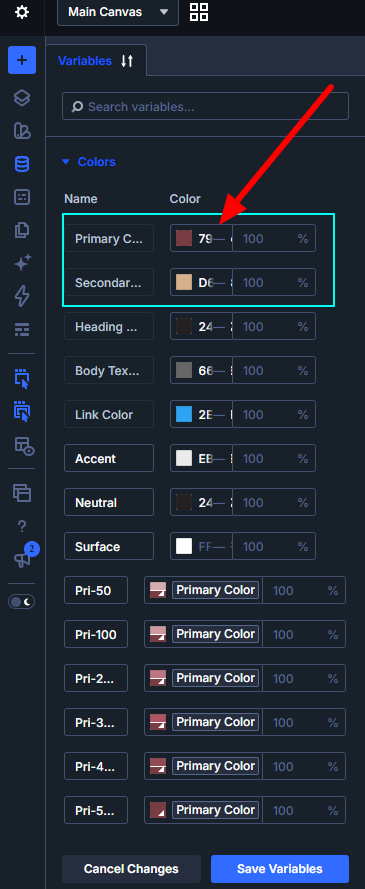
And that's it, this will replace all the colors across your site.
Fix Blume Header Side-Menu Import #
Once you have downloaded Blume, you will receive a ZIP file named product - blume Supplementary Product Files.zip. Unzip this file you will received Blume-header-sldemenu.json
Watch Video


